Time Tracker Pro
A Power-Up for Trello, by AL Data Labs
FREE — unlimited members, boards and cards. No seat count, and no second account to create.
Add it from Trello's Power-Up directory

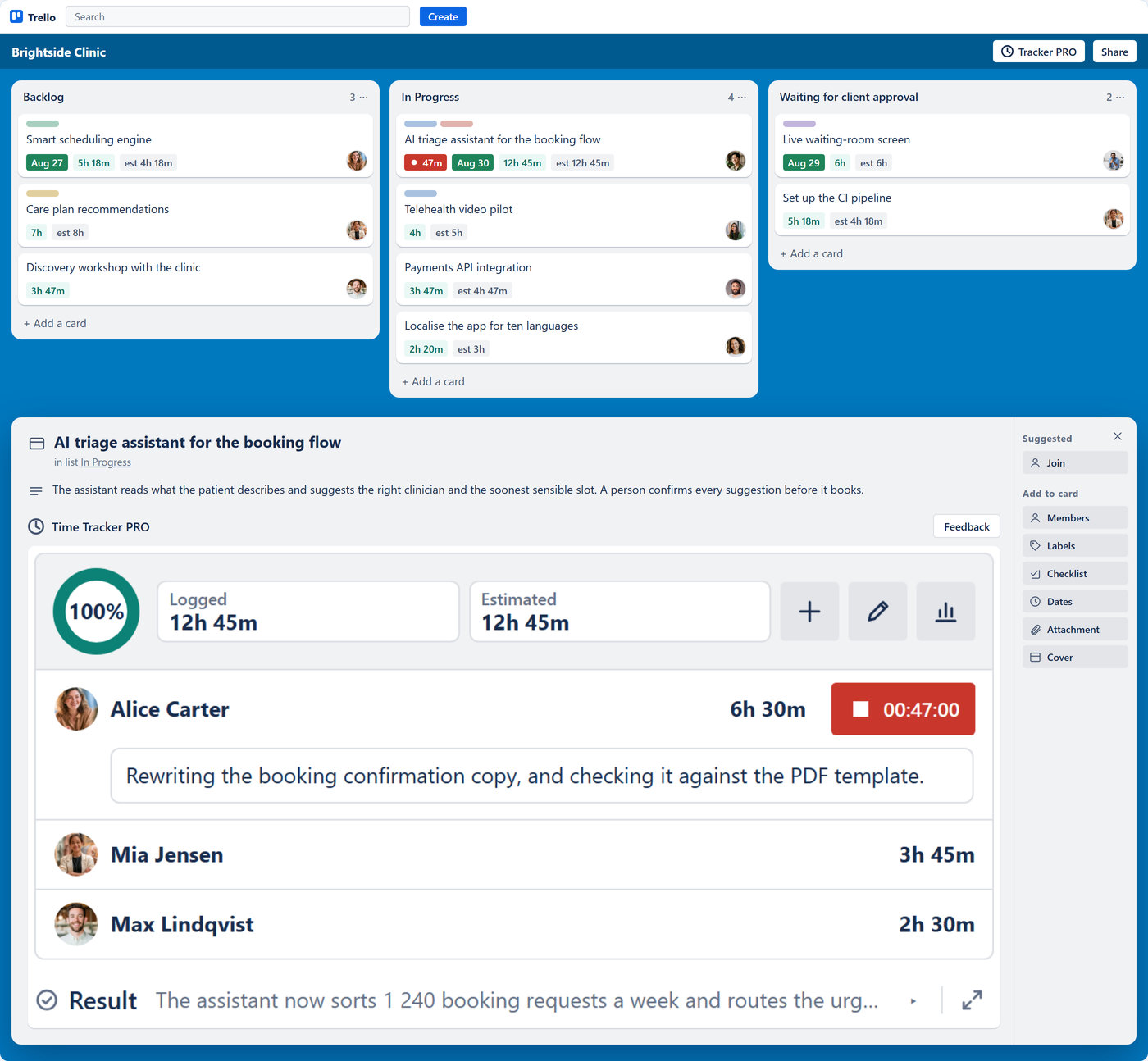
Time Tracker Pro lives inside Trello. Add it to a board and every card carries its own hours.
- Start a timer on the card — it counts up on the card front while it runs, and takes a note as you work
- Logged time and the estimate on the front of the card, readable from the board
- Add time, set the estimate and see who spent what on the back
- Timesheet and reports, one click from the card
- No connector, no password, no authorization prompt — for anyone on the board

Ten languages, one Power-Up — here it is in each one's own words:
- Español: temporizador y control de tiempo en las tarjetas de Trello, hoja de horas e informes. Gratis.
- Português (BR): cronômetro e controle de tempo nos cartões do Trello, folha de horas e relatórios. Grátis.
- Deutsch: Timer und Zeiterfassung auf Trello-Karten, Stundenzettel und Berichte. Kostenlos.
- Français : minuteur et suivi du temps sur les cartes Trello, feuille de temps et rapports. Gratuit.
- Polski: stoper i śledzenie czasu na kartach Trello, ewidencja czasu i raporty. Za darmo.
- Українська: таймер і облік часу на картках Trello, табель часу і звіти. Безкоштовно.
- Italiano: timer e monitoraggio del tempo sulle schede Trello, foglio ore e report. Gratis.
- Türkçe: Trello kartlarında sayaç ve zaman takibi, zaman çizelgesi ve raporlar. Ücretsiz.
- Nederlands: timer en tijdregistratie op Trello-kaarten, urenstaat en rapporten. Gratis.
Picked up from your browser, or chosen by hand. Date format, first day of the week and the CSV separator are separate settings, and they follow you to every board. Light and dark follow Trello's own theme.


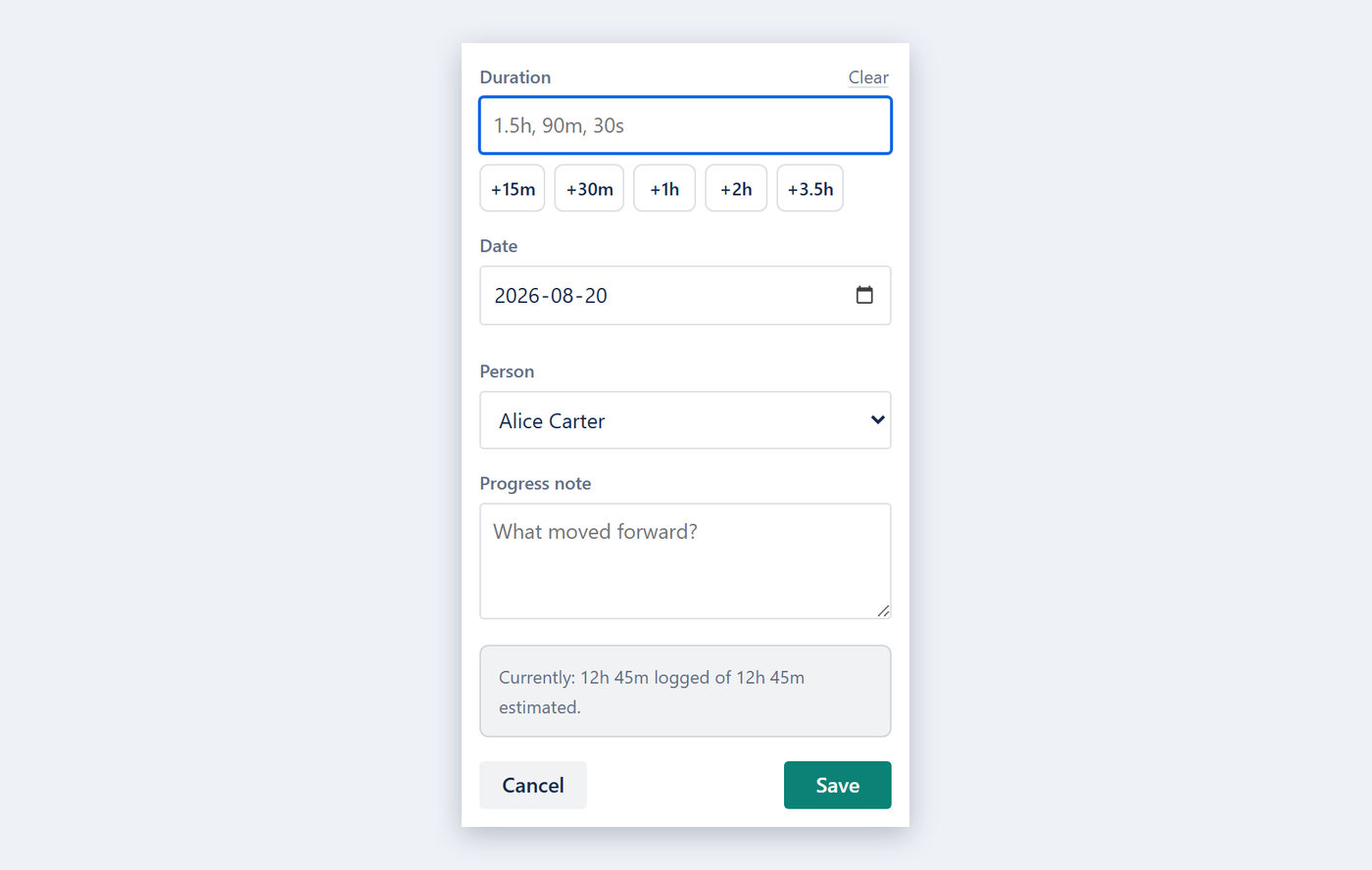
Hours land on the card, for any date — yours, or a teammate's who forgot. A finished entry can be corrected or removed later.
- Presets +15m, +30m, +1h — or type 1.5h, 90m, 30s
- One running timer per person: start another and the forgotten one is closed and logged where it belongs
- An optional note on an entry says what the hour was actually for
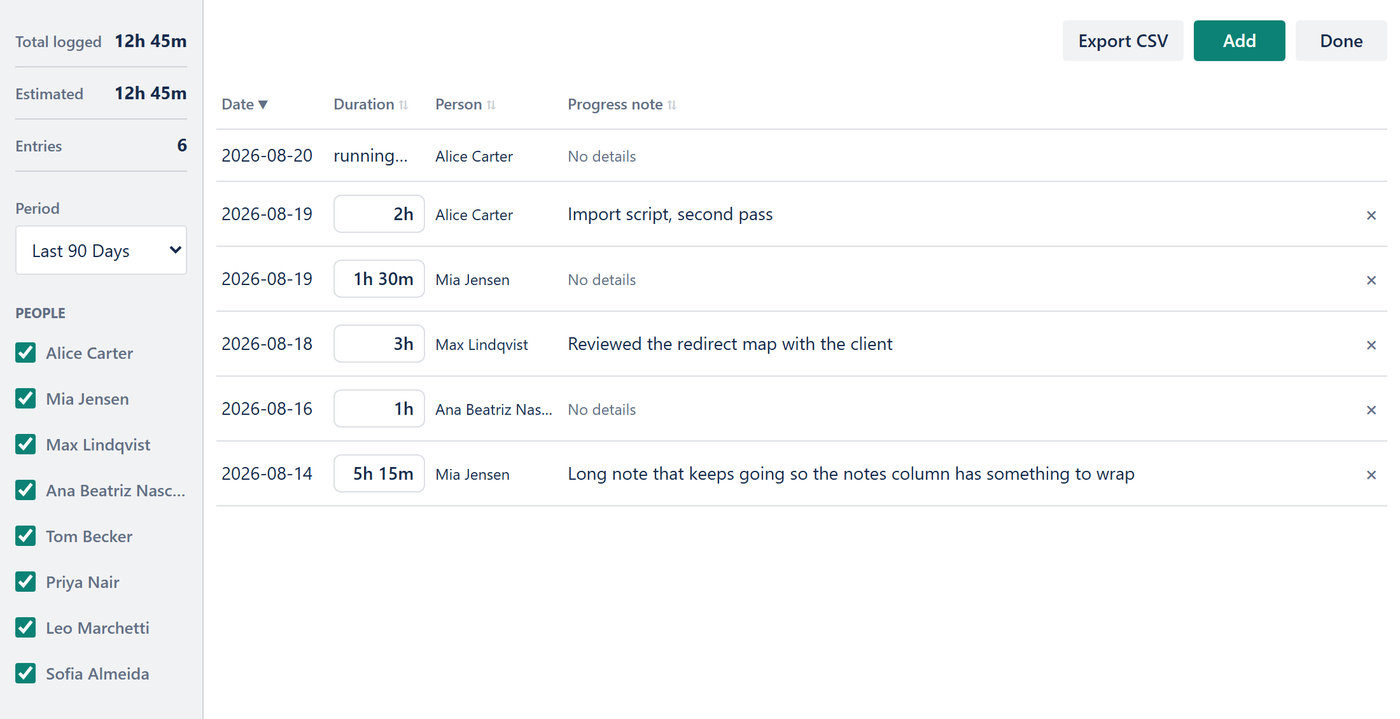
- Every entry in one table — edit the duration or the note in place, or delete the entry
- Filter by period or person, and export this card's hours

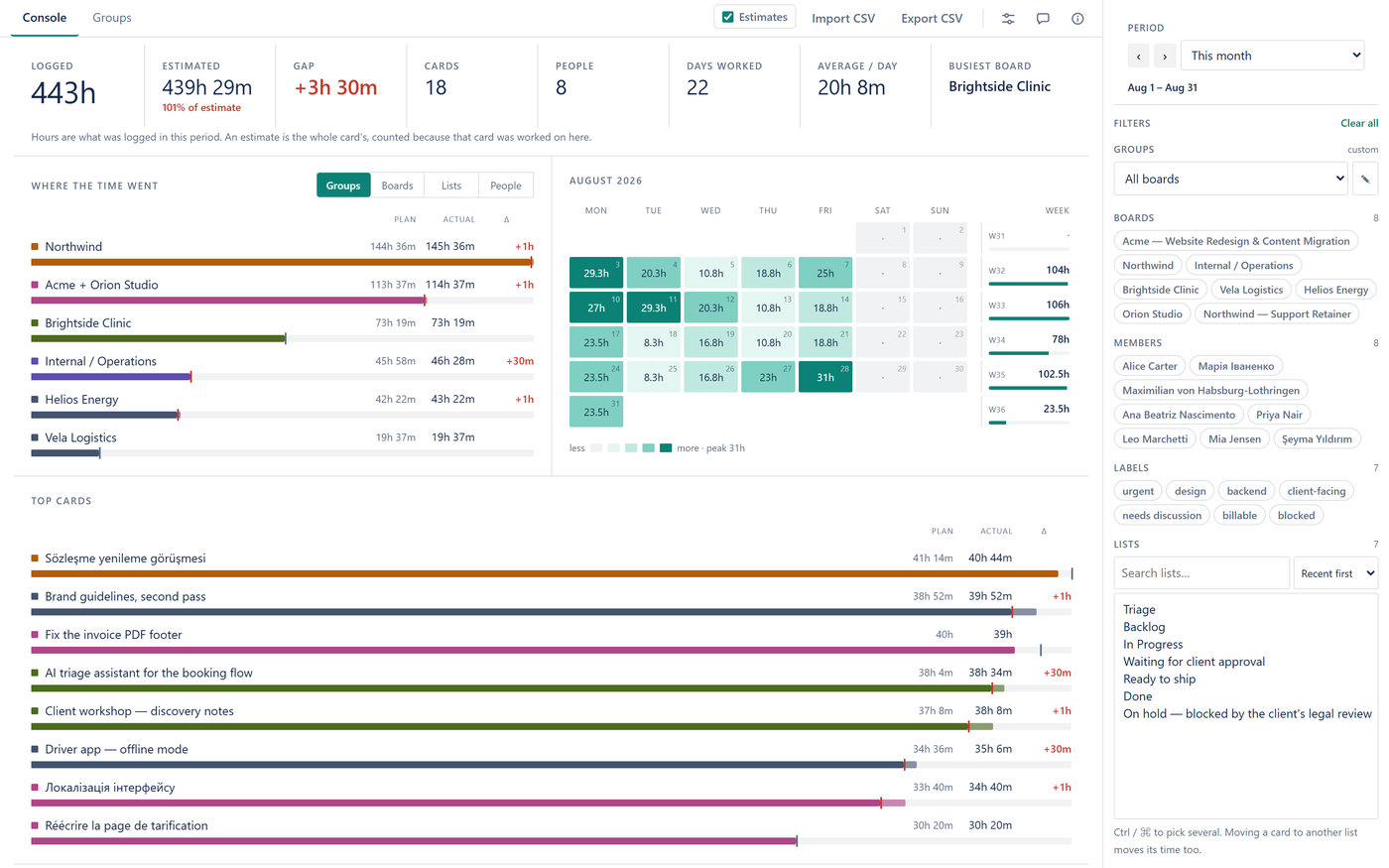
One page across every board you can report on, for any period.
- Boards ranked against their estimates — plan, actual and the gap in their own columns — and a calendar of hours per day
- The same total split by group, board, list or person
- The cards that took the time, and a timesheet strip per person that opens into their cards
- A by-list cross-tab: lists down the side, boards or people across the top
- Filter by board, member, label or list, and switch the estimates off for a page of plain hours

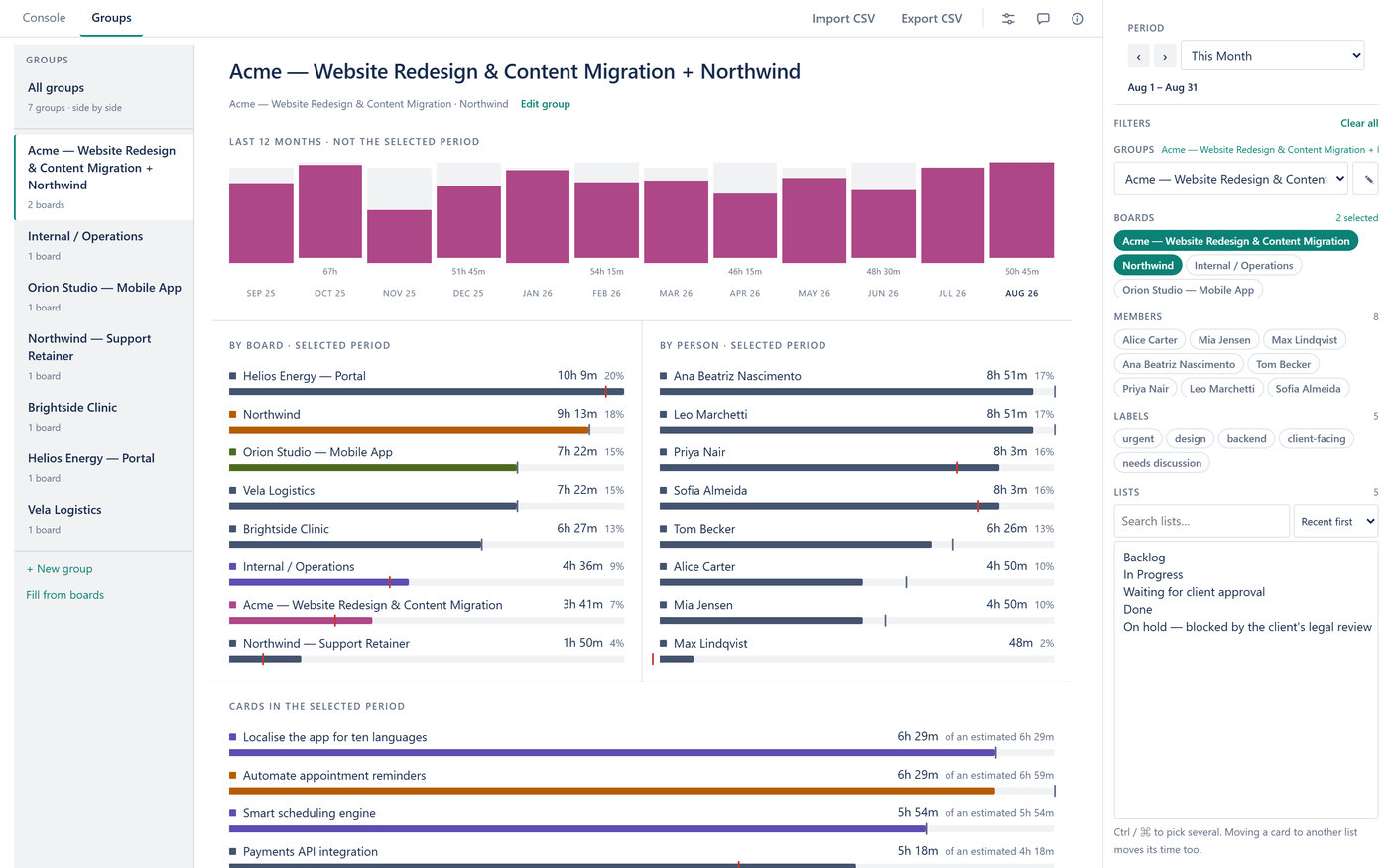
Client work rarely fits on one board. Name the set once and read it as a unit.
- A brief per group: the last twelve months, the selected period by board and by person, the cards
- Or every group side by side
- The list fills itself in as boards appear; rename, reshape or delete as the clients change

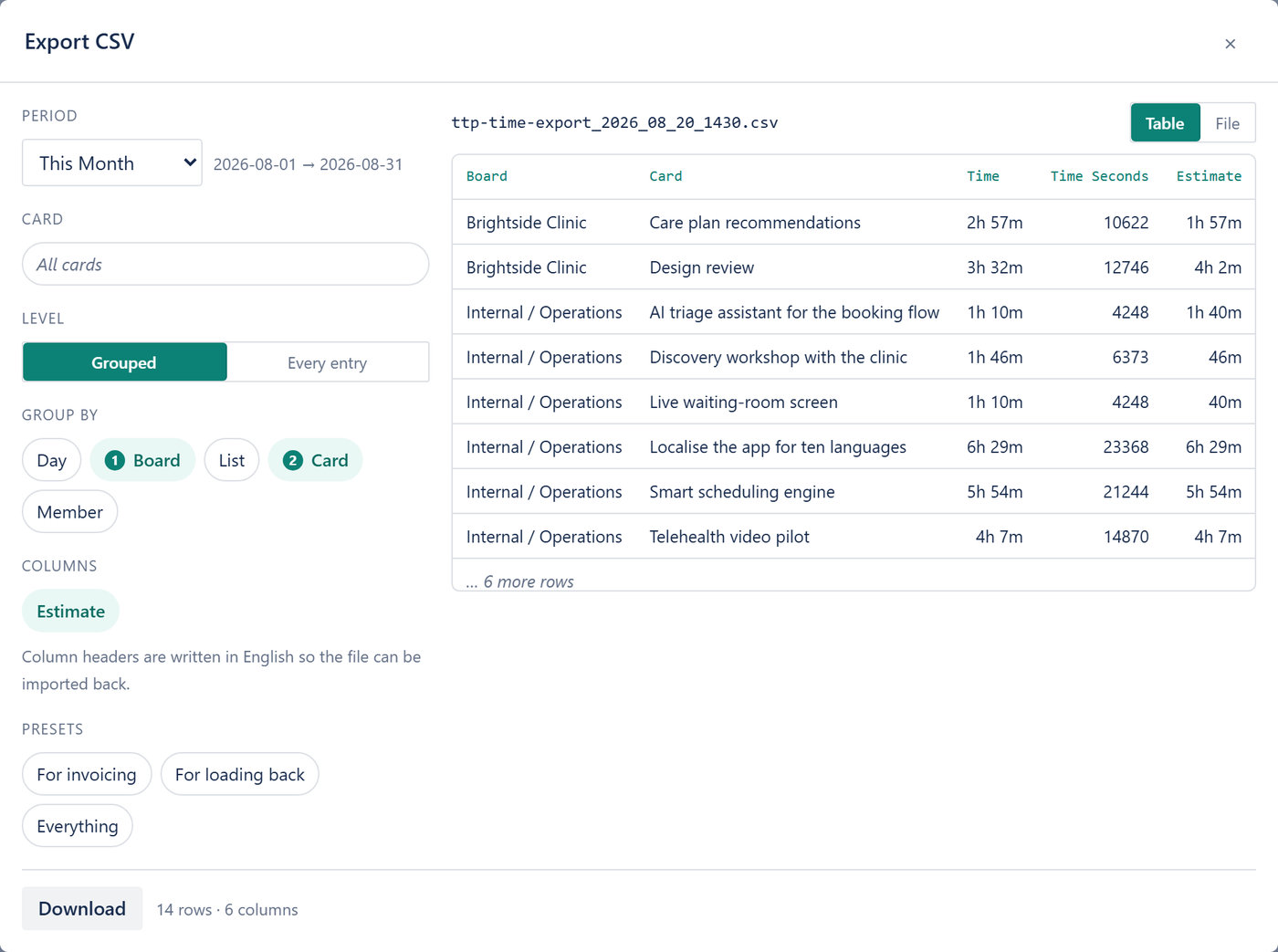
Grouped the way the reader wants it, or every entry with its note.
- Group by day, board, list, card or member — any combination — with a preview before you download
- Presets for invoicing, for loading back, for everything
- The “For loading back” preset keeps English headers and ISO dates, so the file returns through Import

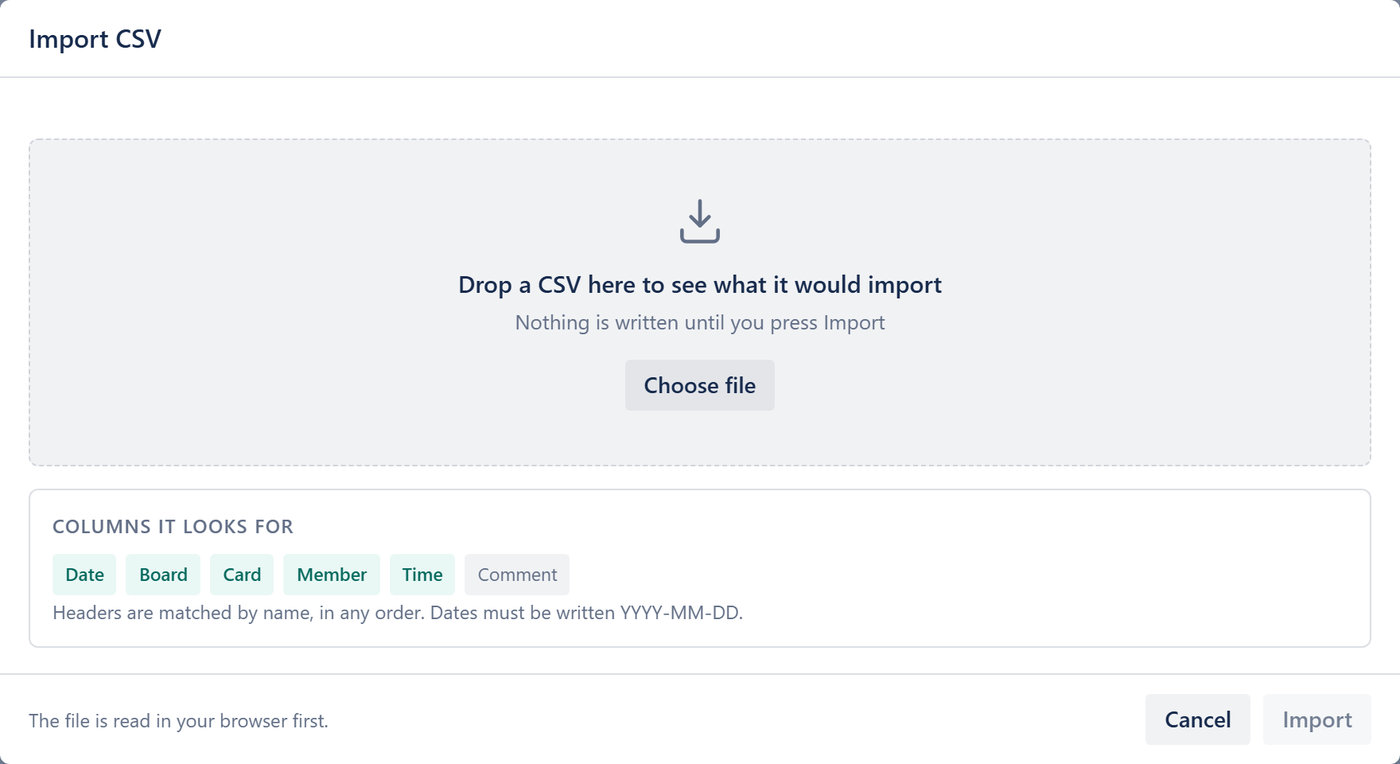
Coming from another tracker? Load its export here.
- Columns are matched by name, in any order
- You see what will be written before it is written
- Anything the file cannot place is listed, not guessed

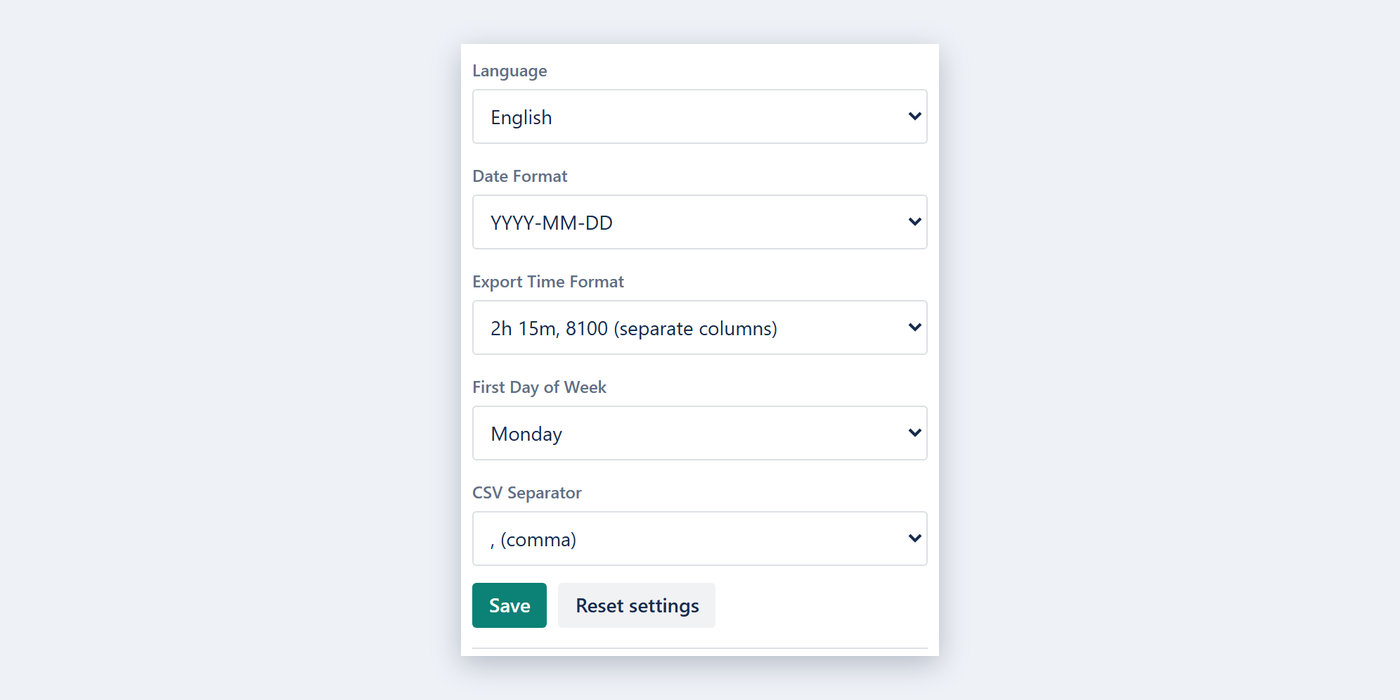
Display preferences live with you, not with the board — they follow you to every board and every device.
- Language, date format, first day of the week, CSV separator
- How durations are written in exports

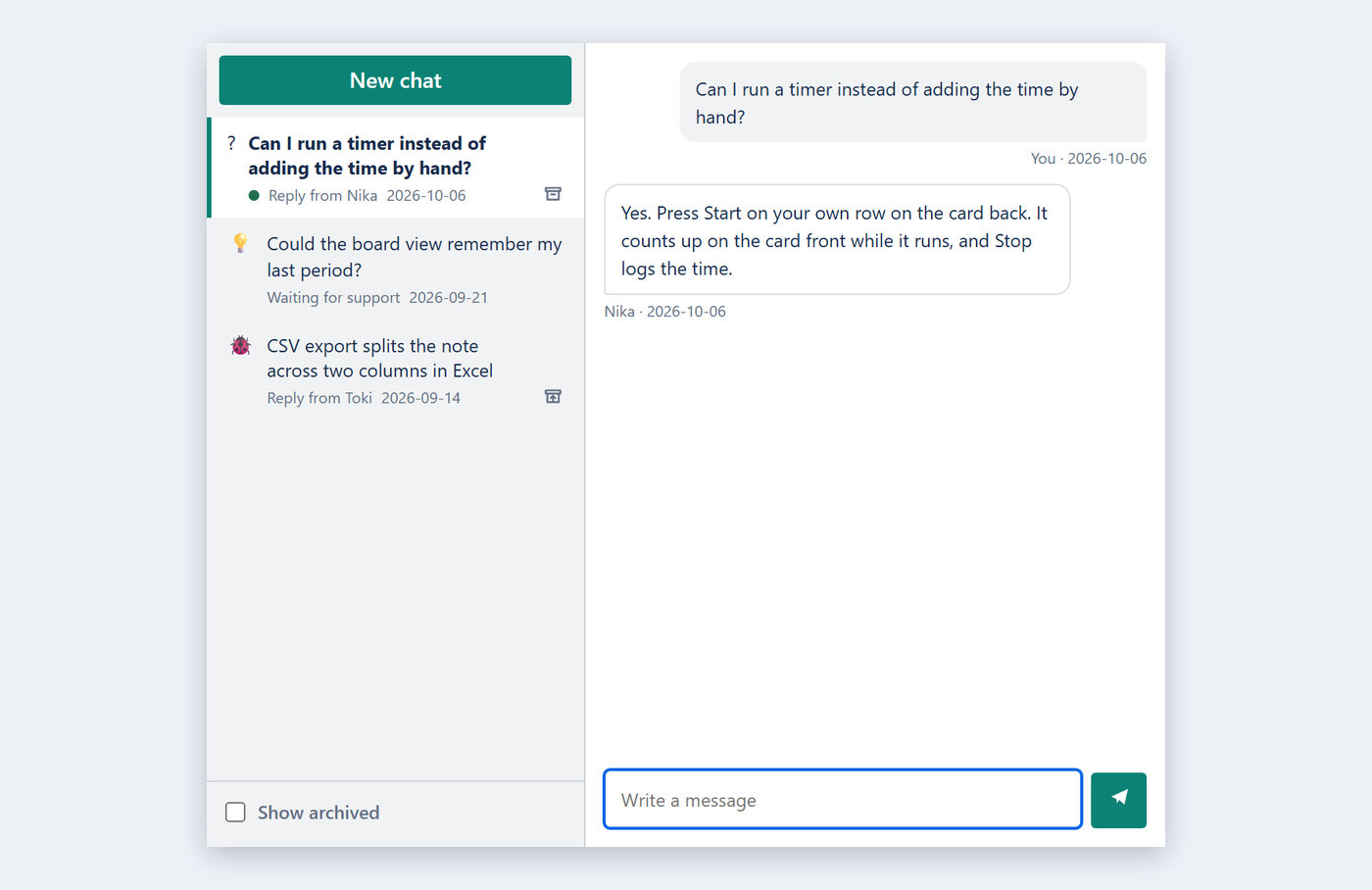
There is a REST API over your own hours — ask us for a key and it is yours. Anything else, write to us from inside the Power-Up.
- An idea, a bug or a question, in two clicks from any board
- Our reply comes back inside the Power-Up — no email needed, and the card tells you when one is waiting
- The whole conversation stays with you, on every board you are on

- No advertising or analytics cookie, no third-party tracker, no profile built about you
- Your data is never sold, and never shared for advertising
- The database and the API run on one server in Nuremberg, Germany, with hourly backups also in Germany
- You can ask us to export or delete your data at any time
Privacy Policy · Terms of Service

FREE. No credit card, and no checkout anywhere in the Power-Up. Everything above, for every member of every board — unlimited members, boards and cards.
Questions, bugs and ideas: [email protected], or the chat built into the Power-Up.
Add it from Trello's Power-Up directory
Time Tracker Pro is built by AL Data Labs and is not affiliated with, authorized by or endorsed by Trello or Atlassian. Trello is a trademark of Atlassian.